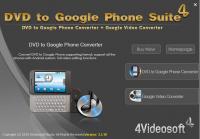
4Videosoft DVD to Google Phone Suite is composed of two Google Phone Converter: 4Videosoft DVD to Google Phone Converter and 4Videosoft Google Phone Video Converter.
4Videosoft DVD to Google Phone Suite is composed of two Google Phone Converter: 4Videosoft DVD to Google Phone Converter and 4Videosoft Google Phone Video Converter. So, it commits itself to convert DVD to Google Phone supporting MP4, 3GP, WMV video and MP3, AAC, WMA, WAV audio, along with putting all video on Google Phone easily and quickly.
4Videosoft DVD to Google Phone Suite owns more rich functions and settings for you to optimize the output video, such as setting many parameter values, trimming a clip of DVD movie or video, cropping DVD movie or video play region and so forth.
Key Functions
1.Convert DVD to Google Phone video and audio formats
Powerful DVD to Gphone Converter to convert DVD to Gphone MP4, 3GP, WMV video and MP3, AAC, WMA, WAV audio by using 4Videosoft DVD to Gphone Converter.
2.Convert almost videos and audios to Google Phone compatible formats
Convert video to Google Phone, including MPG, MPEG, MPEG2, VOB, MP4, M4V, RM, RMVB, WMV, etc to Gphone by Google Phone Video Converter.
3.Merge, trim, crop ? multifunctional editing functions
Merge several files into one for your successive enjoyment, get any time length segments from your DVD movie or video files, crop the DVD movie or video files play region and adjust the output aspect ratio with the help of 4Videosoft DVD to Google Phone Suite.
4.Customize output video files
Adjust the DVD movie Brightness, Contrast, Saturation, and Volume, set the video Encoder, Resolution, Frame Rate and Video Bitrate by using the DVD to Google Phone Suite.
5.Watermark your video
Add text or image watermark to power your output video, and adjust the watermark position, its tranparent, etc.
Whats new in version 3.3.16:
The merge function improvement. Add text or image watermark.
Requirements:
800MHz Intel or AMD CPU, or above; 512MB RAM or more
Operating system:
WinNT 4.x,Windows2000,WinXP,Windows2003,Windows Vista Starter,Windows Vista Home Basic,Windows Vista Home Premium,Windows Vista Business,Windows Vista Enterprise,Windows Vista Ultimate,Windows Vista H
Release notes:
Major Update

Ripping Blu-ray discs and DVD movies to iPhone-supported video formats;Converting Blu-ray discs and DVD movies to audio formats like M4A, WAV and MP3;Ripping Blu-ray discs and DVD movies to iPod videos;Converting Blu-ray discs and DVD mo
Price: $35.95, Rating: 7, Downloads: 159
Download

XFreesoft DVD Creator for Mac is a super easy DVD creator for Mac users to burn video to DVD. All DVD editing and conversion processes can be done with the most excellent quality and the fastest speed by using XFreesoft DVD Creator for Mac.
Price: $19.95, Rating: 6, Downloads: 110
Download

Power DVD Rip Studio is a powerful DVD copying and ripping software which can rips DVD to AVI, DVD to MPEG, DVD to WMV, DVD to WAV, and DVD to SVCD formats...
Price: $29.95, Rating: 9, Downloads: 102
Download

WinX Bluray DVD iPhone Ripper helps you rip/convert Blu-ray DVD to iPhone iPod MP4 H.264 video for smooth playback on your iPhone as well as iPad, iPod, iPod touch and Apple TV.
Price: $19.95, Rating: 6, Downloads: 100
Download 
 4Videosoft DVD to Google Phone Suite 3.3.16 details